
Skip the intro · jump to the list ↓
Too many tabs open, too many builds saved and still no idea where to start? Same. Scrolling through a hundred setups only to close the laptop more confused than before is basically a rite of passage, lol!
That’s exactly why this list exists. Every idea here was picked because it actually works on a real budget, not just in a fancy studio shot.
I scrolled through way more pins than I’ll admit and tossed out anything that needed a sponsorship deal to recreate. What’s left is doable, affordable and honestly still looks amazing.
Some of these are full builds, some are just smart little upgrades for the desk you already have. Either way, nobody needs to spend a fortune to get a setup worth showing off.
Under each one you’ll find the details that actually matter, plus a link if you want the full walkthrough. Grab a coffee and let’s get into it!
Whether you’re building your first rig or just tired of staring at beige plastic, there’s something on this list for you.
PC BUILD IDEAS BUDGET
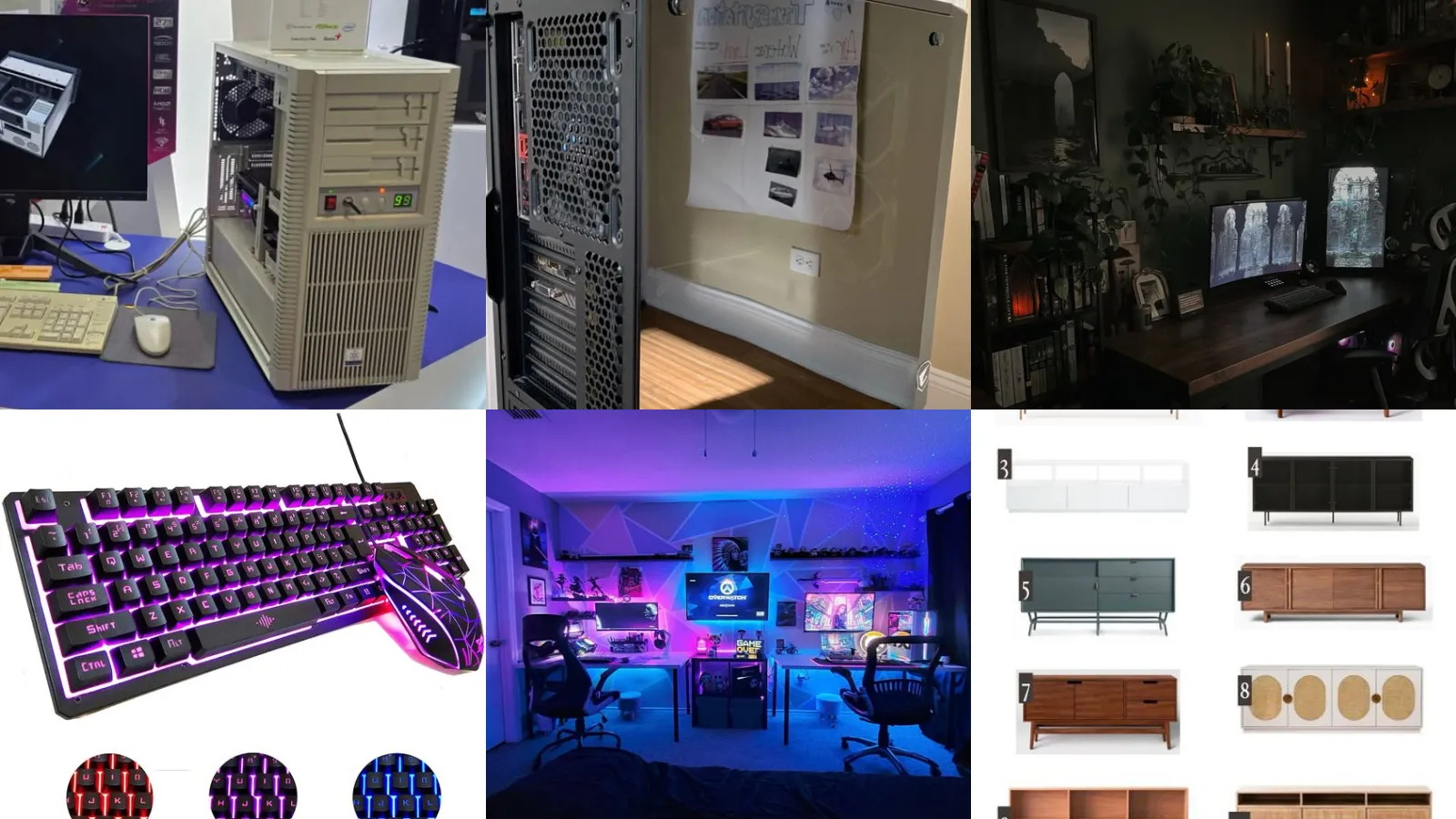
Budget Beige Retro PC Build
We’re starting off strong with a retro beige build that costs way less than it looks. Secondhand cases from the 90s show up at thrift stores constantly. A fresh coat of paint does most of the work.
Pair it with a modern budget motherboard so the outside says vintage while the inside says 2026.
- Thrift case, modern guts
- Paint job under twenty dollars
- Runs current games fine
Affordable White ATX Build
White builds photograph beautifully but they don’t need a luxury price tag. A basic white ATX case plus a couple of white fans changes the whole vibe of a desk.
Skip the tempered glass upgrade if funds are tight. A solid white panel still looks clean without the extra cost.
- White build, small budget
- Fans swapped for a few dollars each
- Looks bright in any room
Budget Mini ITX Build
Small spaces need small towers. Mini ITX is the answer. This build fits on a bookshelf, a nightstand or a tiny desk corner without dominating the room.
The parts cost less because there’s simply less case to fill. Not that I’m mad about a smaller shopping list, haha!
- Fits where full towers can’t
- Case under fifty dollars
- Great for a dorm desk
Cheap Glass Panel Build
Want to see your components without paying for a premium case? A cheap glass panel case does exactly that. Most budget brands now include one side panel window standard.
Add a couple of basic fans behind the glass and suddenly the whole build feels intentional instead of accidental.
- Glass without the markup
- Two fans do the trick
Budget Build Cable Management
Messy cables can make even a nice build look like a tangle of regret. Velcro ties from the dollar store handle most of the job, no fancy sleeving required.
Route the big cables behind the motherboard tray first. Everything smaller gets bundled after.
- Neat wires, zero fancy tools
- Takes about half an hour
Budget Build Airflow Case
Airflow cases don’t need to be expensive to actually keep a system cool. Mesh front panels let cheap fans pull way more air than a solid front ever could.
Temps drop noticeably compared to the closed panel versions.
- Mesh front, cooler everything
- Drops temps several degrees
Entry Level Gaming Rig
Entry level doesn’t mean weak, it just means smart shopping. This rig handles most current games at solid settings without touching the higher end price brackets.
It’s the build I point beginners toward every single time someone asks where to start.
- Beginner friendly, no compromise
- Full build under seven hundred
- Handles most current games
Cozy Dark Battlestation Corner
This is the these approach applied to a whole corner instead of just the tower. Warm lighting, a small desk and a single monitor make the space feel calm instead of cluttered. If you were hunting for battlestation setup ideas, this one is a keeper!
It’s proof that a cozy setup doesn’t need three monitors and a wall of gear. Sometimes less really is more, am I right?
Streamer Battlestation With Monitors
Streamers need a slightly different layout. This one nails it. Multiple monitors angled toward the camera keep chat visible without turning the whole face away from viewers.
A ring light and a simple backdrop finish the look. It doesn’t take a studio budget to look put together on stream.
Wall Mounted Battlestation Idea
Floor space is precious. A wall mounted setup solves that instantly. The tower, the monitor and even the shelf all come off the desk entirely.
This works especially well in small apartments where every inch counts.
RGB Keyboard Mouse Combo
How good does a matching keyboard and mouse combo look under proper lighting? Even a budget combo with basic RGB adds a lot of polish for very little cash.
This is genuinely one of the cheapest ways to upgrade rgb setup ideas desk without touching the actual PC.
RGB Strip Under Desk
A single strip of LEDs under the desk changes the whole feel of a room after dark. Stick-on kits from the craft aisle cost almost nothing and take minutes to install.
Dim it down for late gaming sessions or crank the color for something a little louder. Either way it looks fantastic in photos!
Clean White Minimalist Desk
Not everyone wants a rainbow explosion on their desk. That’s completely fair. This clean white setup proves minimalist gaming setup ideas can still feel exciting without a single RGB light in sight.
One monitor, one keyboard, zero clutter. It’s the setup equivalent of a deep breath.
Simple Wood Desk Setup
Wood desks bring warmth that white or black setups just can’t match. Pair one with simple cable trays and the whole area feels more like a cozy office than a gaming den.
Honestly, I get it.
Dual PC Streaming Station
Running a game on one machine while streaming from another solves so many performance headaches. This is where dual pc setup ideas really earn their reputation among serious streamers.
The second PC can be modest, since it’s mostly handling encoding and chat. No need to spend big on both towers.
Side By Side Dual PCs
Side by side towers look intense, but the setup itself is simpler than it seems. Match the case colors so the pair reads as one unit instead of two random boxes.
This layout also makes swapping cables between the two machines way less annoying.
Floating Shelf Console Storage
Consoles pile up fast. A floating shelf keeps them off the entertainment stand entirely. Mount it above the TV or beside it, whichever fits the wall better.
This is one of those console storage ideas that costs almost nothing but instantly makes a media wall look organized.
Console Storage Cabinet Design
Last but definitely not least, a proper storage cabinet hides everything behind closed doors. Controllers, cables and old game cases all disappear in one clean piece of furniture.
It’s the grown up upgrade for anyone who’s tired of a tangled mess by the TV.
Just a little note - some of the links on here may be affiliate links, which means I might earn a small commission if you decide to shop through them (at no extra cost to you!). I only post content which I'm truly enthusiastic about and would suggest to others.
And as you know, I seriously love seeing your takes on the looks and ideas on here - that means the world to me! If you recreate something, please share it here in the comments or feel free to send me a pic. I'm always excited to meet y'all! ✨🤍
Xoxo Giulia
✨ Wait! Your next favorite is right here
These are the posts readers open next. See why: