

Skip the intro · jump to the list ↓
Here’s a tip nobody tells you when you buy a new desk: mount the tray before you plug in a single cord. Do it backward and you’re unplugging everything twice, lol!
A good cable tray turns a tangled mess under your desk into something you actually forget is there. That’s the whole goal, honestly.
I scrolled through hundreds of desk setups pulling ideas for this list. Only the ones that were doable in an afternoon and didn’t need a contractor made the cut.
Some of these are five dollar fixes. Others involve a little drilling, but nothing that requires special tools or a second person holding a flashlight.
You’ll find trays, baskets, sliding covers and a few full setup ideas mixed in here too. Grab whatever fits your desk and your patience level.
Ready to finally stop kicking a nest of cords every time you roll your chair back? Let’s get into it.
DESK CABLE TRAY IDEAS
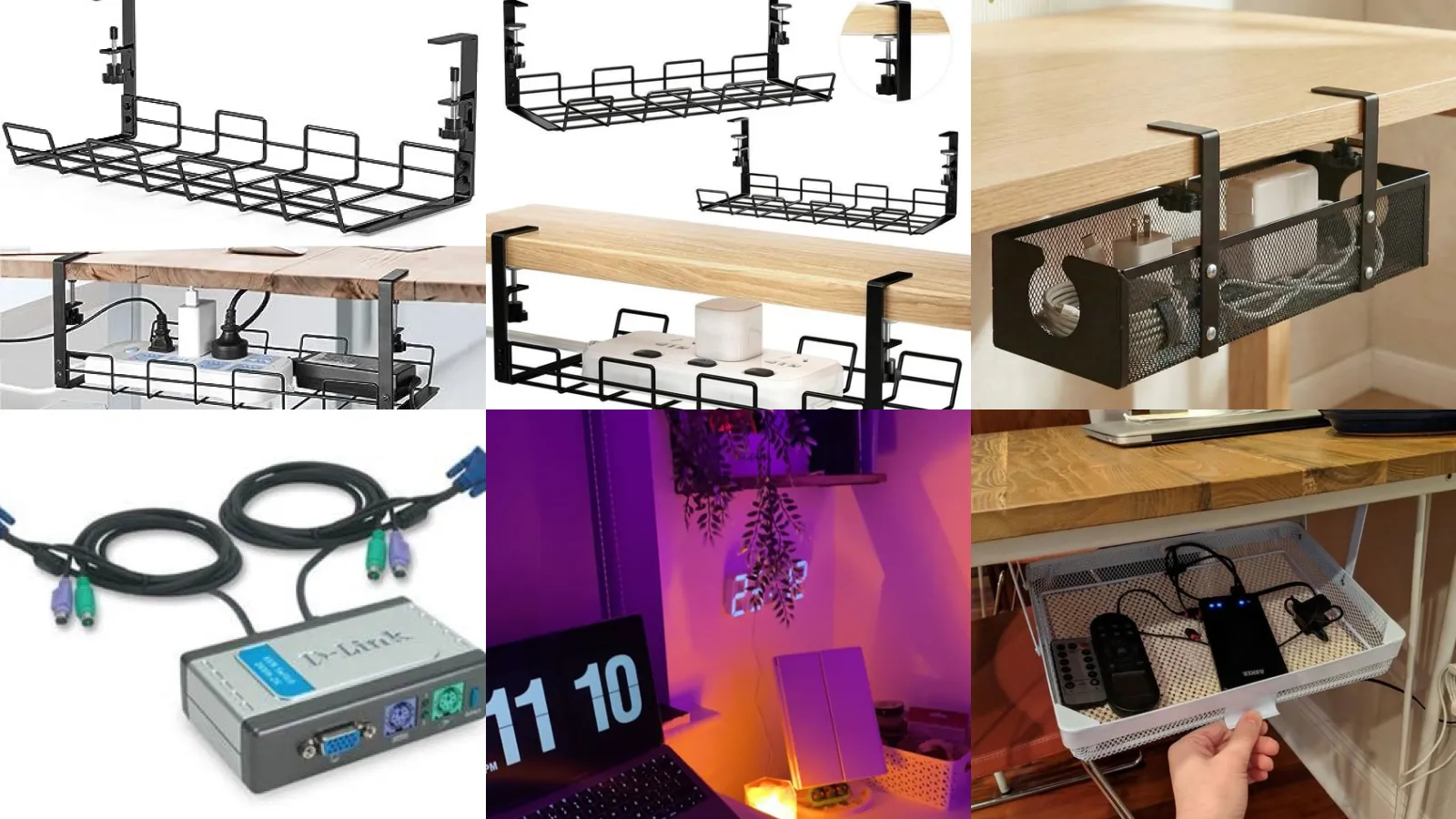
Under Desk Cable Tray Basket
We’re starting off strong with the basket everyone recommends for a reason. It clips right under the desktop and catches the power strip along with every loose cord.
No tools needed for most versions, just clamps that grip the desk edge. Fifteen minutes and the floor underneath looks completely different.
- No drill required
- Clamps on in fifteen minutes
- Holds a full size power strip
Wooden Cable Tray Mount
Wood adds a warmer look than the usual black metal basket. A stained pine tray under a light desk actually looks intentional instead of like an afterthought.
Screw it into the underside with a simple bracket on each end. Sand the edges first so nothing snags a cord going in.
- Matches a wood desk perfectly
- Stains in any tone you like
- One afternoon project
Hidden Power Strip Tray
This one hides the power strip itself, not just the cords hanging off it. A small enclosed tray with a slot for the plug keeps the whole ugly brick out of sight.
It works especially well for a strip with a bunch of chargers plugged in at once. Nobody needs to see that tangle, haha!
- The power strip disappears entirely
- Fits most standard power strips
- Slot cut for the main cord
Mesh Cable Management Tray
Mesh trays let cords breathe a little, which matters if things run warm back there. The open weave also makes it easy to spot which cord is which without digging.
They tend to be cheaper than the solid trays too. A budget pick that still looks clean once it’s loaded up.
- Breathable and budget friendly
- Keeps cords from overheating
- Easy to see what you’re grabbing
Standing Desk Cable Tray
Standing desks need a tray that moves with the desk, or every cord gets yanked tight the second it rises. A flexible loop tray attached to the legs solves that instantly.
Look for one rated for the full range of your desk motor. This is the detail people skip and then regret, lol!
- Moves up and down with you
- Rated for full motor range
- No more yanked cords
DIY Cable Tray From Scratch
Building your own tray from a scrap piece of wood or leftover shelving is oddly satisfying. All you really need is a rectangle, two brackets and some screws.
This is the project for anyone who already has a garage full of half used supplies. Might as well put them to work.
- Uses whatever’s already in the garage
- Costs almost nothing
- Any scrap wood works
Cable Tray With Sliding Cover
A sliding cover means guests never see the mess even when the tray is packed full. Push a small panel over and the whole thing looks like a plain wooden box.
These are great for a desk in a shared living space. Not everyone wants their router blinking at dinner guests, haha!
- Slides shut in one motion
- Looks like a plain box closed
- Good for shared rooms
Corner Desk Cable Basket
Corner desks have their own tangle problem since cords have to travel further to reach the wall. A curved or L shaped basket follows that corner instead of fighting it.
It catches everything in one central spot no matter which direction the cords come from.
- Built for the awkward corner
- Follows the desk’s L shape
- One catch point for everything
Minimalist Laptop Docking Station
A laptop dock setup does not need to look complicated to work well. A simple riser with a single dock cable behind it counts. It clears your whole desktop instantly. If you were hunting for laptop dock setup ideas, this one is a keeper!
One cable in, everything else connects through it. That alone makes packing up for the day so much faster.
- One cable does all the work
- Clears the whole desktop
- Packs up in seconds
Laptop Dock With Hub
Adding a hub to your dock means one plug handles your monitor, your keyboard and your charger all at once. It sounds fancy but it’s genuinely just convenience.
Route the single cable through a tray or clip so it does not dangle off the desk edge. Small detail, big difference.
- One plug, everything connected
- Handles monitor and keyboard together
- Cable stays off the floor
Dual Monitor KVM Switch Setup
Running two monitors off one KVM switch sounds complicated until you actually see it laid out. The switch sits between both computers and one press swaps control instantly. If you were hunting for kvm setup ideas, this one is a keeper!
This setup works great for anyone splitting time between a work laptop and a personal one. No more unplugging cables every single time.
- Swap computers with one button
- Works with two monitors
- No cable swapping required
KVM Switch Cable Organizer
A KVM switch comes with its own tangle of cords since it connects to two computers at once. A small tray right behind it keeps every cable labeled and separated.
Label the cords with tiny tags before you tuck them away. Future you will be grateful, lol!
- Keeps two computers untangled
- Small tags save future headaches
- Fits behind the monitor easily
Multi Computer KVM Desk Layout
For anyone juggling more than two machines, a full multi computer layout built around the KVM switch is worth the extra planning. Everything routes through one central hub.
This is the setup coworkers ask about when they see it. Not that I’m showing off, haha!
- Built for juggling multiple machines
- One hub controls everything
- Coworkers always ask about it
LED Strip Under Desk Glow
A strip of LED lights tucked under the desk edge throws a soft glow onto the floor without lighting up the whole room. It makes evening work sessions feel a lot less harsh. If you were hunting for desk led ideas, this one is a keeper!
Stick on strips work fine here, no wiring needed. Peel, press and you’re done.
- Soft glow, zero wiring
- Peel and stick installation
- Softens harsh evening light
Color Changing Desk LED Setup
Color changing LEDs let you match your desk mood to whatever you’re working on. Blue for focus, warm orange for winding down, purple because it just looks cool.
Most come with a remote or an app so you never have to reach behind the desk to adjust it.
- Match the mood with one click
- Controlled from a remote or app
- No reaching behind the desk
Monitor Backlight LED Ambiance
Backlighting behind the monitor itself cuts down on eye strain during long stretches at the screen. It also makes the whole desk area look a little more put together after dark.
A slim light bar clips right onto the back of the monitor. No screws, no mounting brackets.
- Eases eye strain after dark
- Clips on with no screws
- Looks polished after sunset
Under Monitor Storage Shelf
Under monitor storage ideas solve the problem of a desk that’s all screen and no space. A slim shelf tucked below the monitor holds notebooks, a phone or a stack of mail.
It uses space that was basically wasted before. Who doesn’t love free storage, am I right?
- Turns wasted space into storage
- Holds notebooks and small items
- Fits under most monitor stands
Monitor Stand With Drawer
A monitor stand with a built in drawer hides small clutter completely out of view. Pens, sticky notes, chargers, all of it slides shut behind one small panel.
It raises the monitor to a better eye level too, so it’s solving two problems at once.
- Hides clutter behind one drawer
Slim Under Screen Organizer
Last but definitely not least, a slim under screen organizer is the pick for anyone tight on desk depth. It sits low and thin so the monitor barely moves.
Some versions include a phone slot on the side. Small feature, surprisingly useful every single day.
- Built for shallow desks
- Some include a phone slot
Just a little note - some of the links on here may be affiliate links, which means I might earn a small commission if you decide to shop through them (at no extra cost to you!). I only post content which I'm truly enthusiastic about and would suggest to others.
And as you know, I seriously love seeing your takes on the looks and ideas on here - that means the world to me! If you recreate something, please share it here in the comments or feel free to send me a pic. I'm always excited to meet y'all! ✨🤍
Xoxo Giulia
✨ Wait! Your next favorite is right here
These are the posts readers open next. See why: